
In the world of gaming, comfort and performance go hand in hand. One of the most crucial elements that can enhance your gaming experience is the chair you sit in. Gaming chairs are designed to provide support during long hours of play, but to truly benefit from them, it’s essential to adopt ergonomic practices. Here are nine ergonomic tips to improve your posture while using gaming chairs, ensuring you stay comfortable and focused on your game.
1. Adjust the chair height
The first step to achieving an ergonomic posture is to adjust the height of your gaming chair. Your feet should rest flat on the ground, with your knees at a 90-degree angle. If your chair is too high, consider using a footrest to maintain proper alignment. This adjustment helps reduce strain on your lower back and promotes better circulation.
2. Support your lower back
Most gaming chairs come with lumbar support, but it’s important to ensure it fits your body correctly. The lumbar support should align with the natural curve of your spine. If your chair lacks adequate support, consider using a small cushion or a rolled towel to fill the gap. This will help maintain the natural curvature of your spine and prevent slouching.
3. Keep your shoulders relaxed
When gaming, it’s easy to tense up, especially during intense moments. Make a conscious effort to keep your shoulders relaxed and down. Your arms should rest comfortably on the armrests or your desk, with your elbows at a 90-degree angle. This position helps prevent shoulder and neck strain, allowing you to focus on your gameplay.
4. Position your monitor at eye level
Your gaming chair is only part of the equation; your monitor’s position is equally important. The top of your screen should be at or just below eye level, allowing you to look straight ahead without tilting your head. This alignment reduces neck strain and promotes better posture, making your gaming sessions more enjoyable.
5. Use armrests wisely
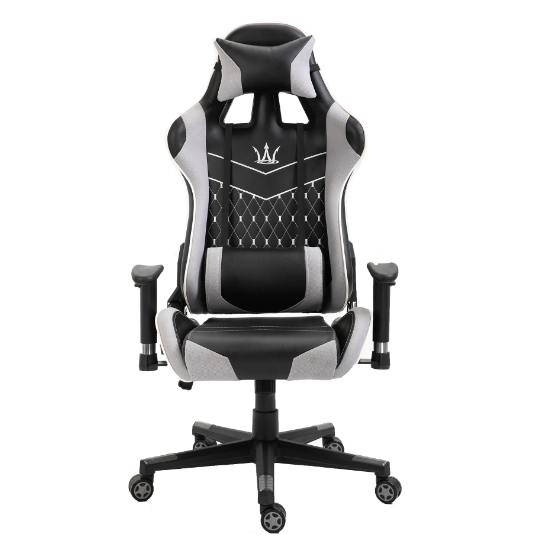
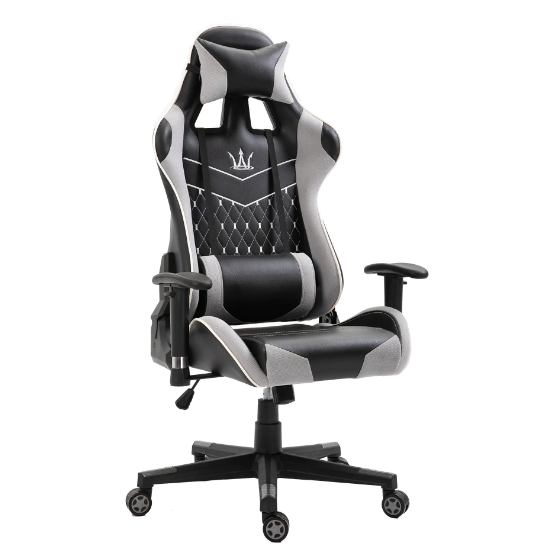
Gaming chairs often come with adjustable armrests. Make sure they are set at a height that allows your arms to rest comfortably without lifting your shoulders. Your wrists should remain straight while using your keyboard and mouse. Proper armrest positioning can help alleviate tension in your neck and shoulders.
6. Take regular breaks
Even the best gaming chairs can’t replace the need for regular movement. Set a timer to remind yourself to take breaks every hour. Stand up, stretch, and walk around for a few minutes. This practice not only helps relieve muscle tension but also improves circulation and keeps your mind sharp.
7. Maintain a neutral wrist position
When using your keyboard and mouse, ensure your wrists are in a neutral position. Avoid bending your wrists upwards or downwards. Consider using a wrist rest to maintain this alignment, which can help prevent repetitive strain injuries over time.
8. Stay hydrated
While it may not seem directly related to posture, staying hydrated is crucial for overall health and comfort. Dehydration can lead to fatigue and discomfort, making it harder to maintain good posture. Keep a water bottle nearby and take sips regularly to stay refreshed.
9. Listen to your body
Finally, the most important ergonomic tip is to listen to your body. If you start to feel discomfort or pain, take a moment to adjust your position or take a break. Everyone’s body is different, and what works for one person may not work for another. Pay attention to your needs and make adjustments accordingly.
In conclusion, gaming chairs can significantly enhance your gaming experience, but they are most effective when combined with proper ergonomic practices. By following these nine tips, you can improve your posture, reduce discomfort, and enjoy longer, more productive gaming sessions. Remember, comfort is key to achieving peak performance in the gaming world!
Post time: May-06-2025