
Whether you're grinding through a ranked match or settling in for a 6-hour streaming session, your adjustable height gaming chair plays a critical role in how you feel—and perform—at your desk. Studies show that approximately 65% of gamers experience back or neck discomfort during extended sessions, and improper seat height is one of the most common causes. The good news? A few simple adjustments can transform your setup.
This guide explains exactly how to set your gaming chair height correctly, what specifications to look for, and why getting this right matters more than most players realize.
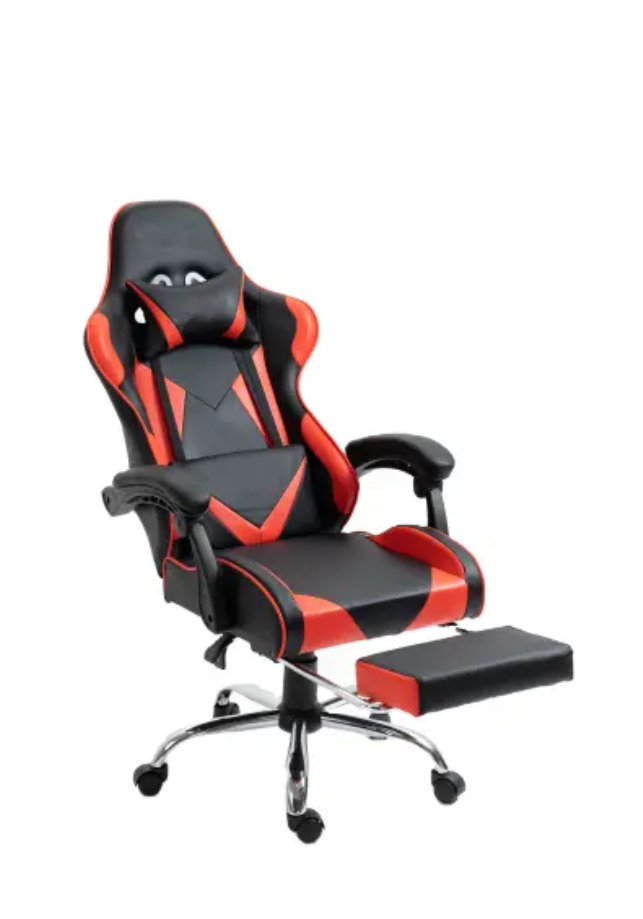
Why Chair Height Adjustment Matters for Gamers
Sitting at the wrong height creates a chain reaction of posture problems. When your seat is too low, your knees rise above your hips, increasing pressure on your lower back by up to 40%. When it's too high, your feet dangle, cutting off circulation and causing numbness.
Research from the Occupational Safety and Health Administration (OSHA) recommends maintaining a 90-90-90 posture: 90-degree angles at your ankles, knees, and hips. Achieving this position starts with setting the correct chair height—and that's where an adjustable height gaming chair becomes essential.
Step-by-Step: How to Adjust Your Gaming Chair Height Properly
Step 1: Start with Your Feet Flat on the Floor
Sit back in your chair and place both feet flat on the ground. If your heels lift or your toes barely touch, you need to adjust. Most quality gaming chairs offer a height adjustment range of 3.5 to 5 inches (9–13 cm), controlled by a Class 3 or Class 4 gas lift cylinder.
Step 2: Check Your Knee Angle
Your thighs should be roughly parallel to the floor, with knees bent at approximately 90 degrees. A slight downward slope (thighs 1–2 inches higher at the hips) is acceptable and can reduce hamstring pressure during long sessions.
Step 3: Align with Your Desk Height
Standard desk height ranges from 28 to 30 inches (71–76 cm). Once seated, your elbows should rest comfortably at a 90-degree angle when your hands are on the keyboard or controller. If your desk is fixed, adjust the chair to match—then consider a footrest if your feet no longer reach the ground.
Step 4: Fine-Tune with Other Adjustments
Chair height is the foundation, but maximum comfort requires syncing other settings:
- Armrest height: Set 1–2 inches below elbow level to support forearms without shrugging shoulders.
- Lumbar support depth: Adjust so the curve fits your lower back's natural arch.
- Seat tilt: A 5–15 degree recline can reduce spinal disc pressure by up to 25%.
Key Features to Look for in an Adjustable Height Gaming Chair
Not all gaming chairs offer the same adjustment quality. When shopping, prioritize:
| Feature | Why It Matters | Recommended Spec |
|---|---|---|
| Gas Lift Class | Determines weight capacity and durability | Class 4 (supports up to 350 lbs / 158 kg) |
| Height Range | Fits different body types and desk heights | Minimum 4-inch (10 cm) range |
| Seat Depth Adjustment | Prevents thigh pressure for taller users | 2–3 inch sliding seat pan |
| Weight Capacity | Ensures stability and longevity | 250–300 lbs minimum rating |
Premium chairs may also include memory foam cushioning (density of 50–60 kg/m³ for optimal support) and 4D armrests for precise positioning.
Benefits of Correct Height Adjustment
Setting your chair height properly delivers measurable advantages:
- Reduced fatigue: Proper posture can decrease muscle strain by up to 30%, keeping you sharper during competitive play.
- Better circulation: Feet flat on the floor prevents leg numbness and reduces deep vein thrombosis (DVT) risk during long sessions.
- Improved reaction time: Comfortable seating allows faster, more precise movements—critical for FPS and MOBA players.
- Long-term health: Ergonomic positioning lowers the risk of chronic issues like herniated discs and carpal tunnel syndrome.
Common Mistakes to Avoid
- Setting height based on visuals, not feel: Your chair should fit your body, not match your desk's aesthetic.
- Ignoring footwear: Adjust height while wearing your typical gaming footwear (or barefoot if that's your style).
- Skipping recalibration: Body mechanics change. Re-check your setup every few months or after any desk/monitor changes.
The Takeaway
An adjustable height gaming chair is only as good as its setup. By following the 90-90-90 rule, aligning with your desk, and fine-tuning lumbar and armrest positions, you create a foundation for both comfort and performance. Take five minutes today to check your current settings—your back, legs, and K/D ratio will thank you.
Post time: Jan-20-2026