
If you’re searching for a comfortable gaming chair, you’re probably dealing with the same problem most gamers and remote workers face: long sessions that turn into back pain, tight shoulders, or numb legs. The “best” gaming chair for comfort isn’t always the most expensive or the flashiest—it’s the one that fits your body, supports healthy posture, and stays comfortable after hours of use.
Below is a practical, comfort-first guide to help you choose the right chair (and avoid marketing traps).
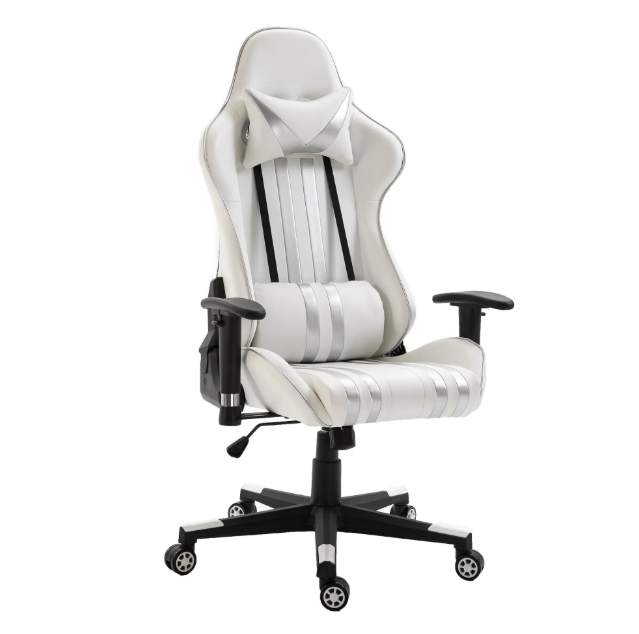
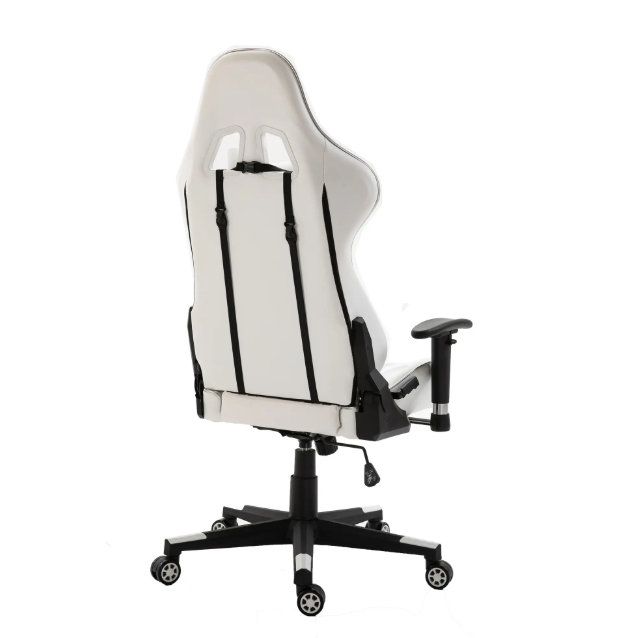
1) What “comfortable” really means in a gaming chair
Comfort is not just soft cushioning. A truly comfortable chair balances support + adjustability + pressure relief. The best models keep your spine aligned, reduce strain on your lower back, and distribute weight evenly so you don’t feel sore after a few matches—or a full workday.
Look for these comfort essentials:
- Ergonomic lumbar support (built-in or adjustable) to protect your lower back
- High-density foam or layered cushioning that won’t flatten in a few months
- Adjustable seat height so your feet rest flat and knees sit around 90°
- Recline + tilt tension to change posture during long sessions
- Adjustable armrests to keep shoulders relaxed (ideally 3D/4D)
2) The best gaming chair for comfort is the one that fits your body
A chair can have perfect features and still feel uncomfortable if the size is wrong. Before you buy, check:
- Seat width and depth: Your hips should fit comfortably, and there should be 2–3 fingers of space between the seat edge and the back of your knees.
- Backrest height: Your shoulders should be supported, not pushed forward.
- Weight capacity: Higher-rated frames often feel more stable and durable.
If you’re taller or heavier than average, prioritize “XL” models with deeper seats and stronger bases. If you’re smaller, avoid oversized chairs that force you to reach forward.
3) Materials matter more than most people think
For comfort over time, material choice is huge:
- Breathable fabric or mesh stays cooler for long sessions and warm climates.
- PU leather looks sleek and is easy to clean, but can trap heat.
- Cold-cure foam (common in premium chairs) holds shape and support longer than basic foam.
If you sweat easily or live somewhere hot, fabric/mesh can instantly feel more comfortable than leather-style surfaces.
4) Key features that actually improve comfort
Many gaming chairs advertise “racing style,” but comfort comes from ergonomic design. Prioritize:
- Adjustable lumbar depth or dynamic lumbar support
- Seat tilt or forward tilt for more natural posture
- Waterfall seat edge to reduce pressure behind the knees
- 4D armrests to match desk height and mouse/keyboard position
- Strong base and smooth casters for stability and easy movement
Neck pillows can help some users, but if it pushes your head forward, it can cause neck tension. A better option is a chair with a naturally supportive headrest or adjustable upper-back support.
5) Quick comfort checklist before you buy
Use this simple checklist to find your best comfortable gaming chair:
- Feet flat on the floor, knees ~90°
- Lumbar support fills the curve of your lower back
- Shoulders relaxed, elbows supported by armrests
- Seat doesn’t cut into the back of your legs
- Material matches your temperature needs (cool vs. easy-clean)
Final recommendation: the “best” chair is ergonomic, adjustable, and size-matched
So, what is the best gaming chair for comfort? It’s the chair that fits your height and weight, offers real lumbar support, has durable cushioning, and gives you enough adjustments to change posture throughout the day.
Post time: Jan-06-2026